Appterix
Manage security keys centrally, roll out FIDO2 more easily
We plan the deployment of your security keys with you and integrate Appterix as a component for central management. From selecting the appropriate hardware to rollout and ongoing support, MTRIX is your contact.
The most important features
Easy FIDO2 rollout for Microsoft Entra ID and Okta
Appterix supports the preparation and registration of FIDO2 security keys for Microsoft Entra ID and Okta. This allows for standardized processes for setup and issuance to be established and recurring tasks in the IT team to be simplified.
Delegated registration for Entra ID and Okta
With "Enrollment on Behalf Of," authorized personnel can register FIDO2 security keys on behalf of the respective users. IT prepares the keys centrally and then hands them over to the designated employees. This means that registration does not have to be carried out by each user themselves.
Central lifecycle management
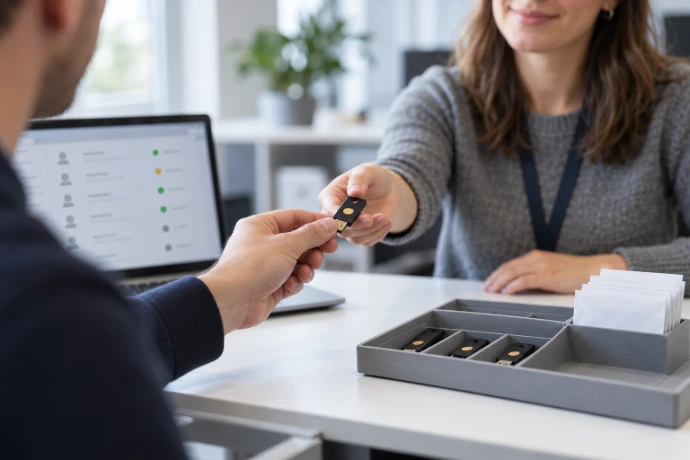
Keep track of the inventory, status, and user assignment of your Security Keys. Appterix supports management from initial capture through issuance to return or decommissioning. This way, your IT team can understand which keys are available and to whom they are assigned.
Provide and renew certificates centrally
Appterix supports the provision of PIV certificates on compatible Security Keys through your existing Active Directory certificate services. The automatic renewal of expiring certificates reduces manual administrative tasks and relieves your IT team.
Password manager for applications without Security Key support
Nicht jede Anwendung unterstützt Hardware-Keys. Für diese Fälle bietet Appterix einen Passwort Manager für Windows, macOS, Linux, iOS und Android, mit sicherer Freigabe im Team. Auch sensible Token-Geheimnisse wie PINs, PUKs oder Management Keys lassen sich dort sicher ablegen, statt auf Zetteln oder in Tabellen zu landen.
Verschlüsselte Container mit Post-Quanten-Option
Vertrauliche Daten legen Sie in verschlüsselten Containern ab, geschützt per Passwort oder YubiKey und teilbar im Team. Neben AES-256 steht eine Variante mit Post-Quanten-Verfahren (Kyber) zur Verfügung, relevant für Daten mit langer Schutzdauer.
Zero Trust Application Access (ZTAA)
Nur freigegebene Anwendungen dürfen starten, alles andere wird blockiert. Der Einstieg ist einfach: Im Analysemodus beobachtet Appterix zunächst, ohne zu blockieren. Für besonders sensible Programme können Sie den Start zusätzlich an einen eingesteckten, zugewiesenen Key knüpfen. Wir helfen beim Aufbau der Freigabelisten, damit der Schutz greift, ohne den Alltag zu bremsen.
Unser Service
rund um Appterix
Beratung
We clarify with you how many keys are in use, who sets them up, what happens in case of loss or departure, and whether Appterix fits your environment.
Konzept
Wir wählen passende Keys und Anmeldeverfahren und legen Rollen, Gruppen und Abläufe fest.
Integration
We integrate Active Directory, Entra ID, or Okta and set up Appterix as a cloud solution, private cloud, or on-premises, depending on your requirements.
Rollout
Pilotgruppe, dann Breite. Wir liefern die Hardware und unterstützen Ihr IT-Team.
Betrieb
We remain your point of contact, even for expansions and questions about the manufacturer. Upon request, we can take over operations as a managed service.
Security-Keys einfacher ausrollen und zentral verwalten??
We will show you how Appterix can support the preparation, registration, and management of your Security Keys.
Use cases


Windows environment with Active Directory
You are already using Active Directory certificate services and want to provide certificates on compatible Security Keys. Appterix supports the setup and automatic certificate renewal, reducing manual administrative effort.
Organize the issuance and return of Security Keys

Register Security Keys on behalf of others
Your IT team or other authorized personnel should prepare FIDO2 security keys for employees. With "Enrollment on Behalf Of," they register the keys on behalf of the respective users and then hand them over for use.
FIDO2 rollout with a growing workforce
The right Security Keys for your rollout
In our shop, you will find Security Keys for use in your company. We are happy to clarify which models support the desired Appterix features with you. MTRIX assists you in selecting, preparing, and issuing the keys as well as in setting up Appterix.
Discover Security Keys in the shop Request consultation on Appterix